![Dye & Durham Logo.png]](https://solutions.dyedurham.ca/hs-fs/hubfs/DD%20Direct%20V2/Dye%20%26%20Durham%20Logo.png?height=40&name=Dye%20%26%20Durham%20Logo.png)
In this article, we will show you how to create a new test company in Unity Accounting®. You can also follow these steps if you need separate company files for multiple firms.
Steps
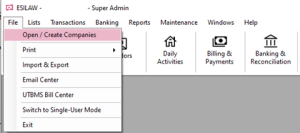
- Click on File.
- Click on Open / Create Companies.
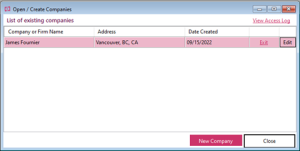
- Click on New Company in the Open / Create Companies pop-up box.

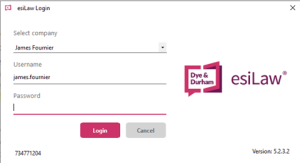
- Once the new company has been created and set up, ensure that the correct company logo is selected on the login.
Tips:
- Creating a TEST company file is a great practice for training new accountants and bookkeepers using Unity Accounting®.
- Use this new TEST company file to learn how to create bills or do common tasks within Unity® Accounting without the risk of damaging any core data in your main company file.