![Dye & Durham Logo.png]](https://solutions.dyedurham.ca/hs-fs/hubfs/DD%20Direct%20V2/Dye%20%26%20Durham%20Logo.png?height=40&name=Dye%20%26%20Durham%20Logo.png)

To undo a Bank Deposit:
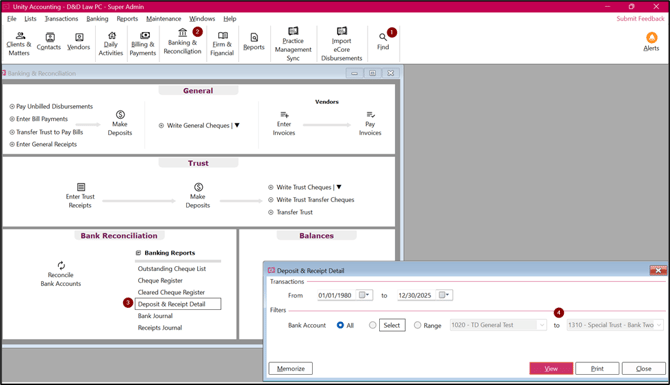
- Click on Find feature and look for the audit number for that receipt.
- Click on Banking & Reconciliation.
- Click on Deposit and Receipt Detail report.
- Select an appropriate bank but do not change dates. View the report.
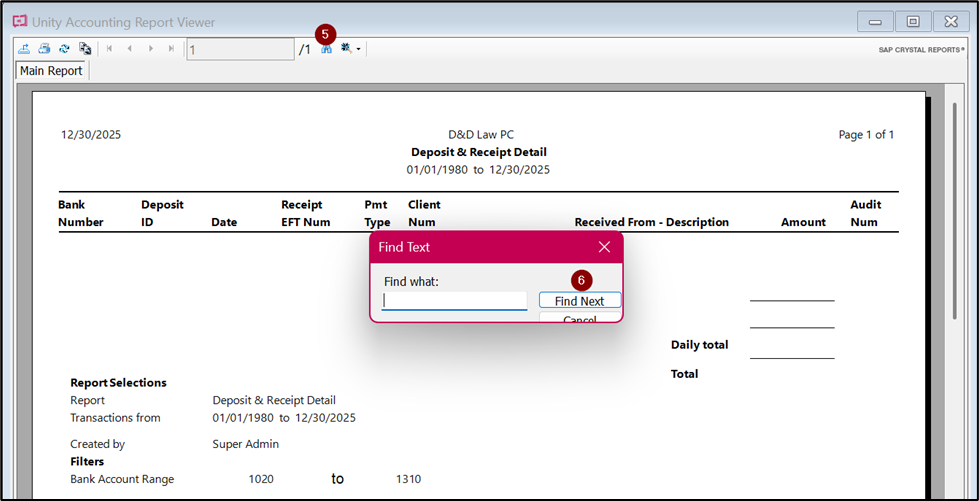
- Click on binoculars and type in the audit number.
- Click on Find Next. Look for the deposit ID for that deposit.
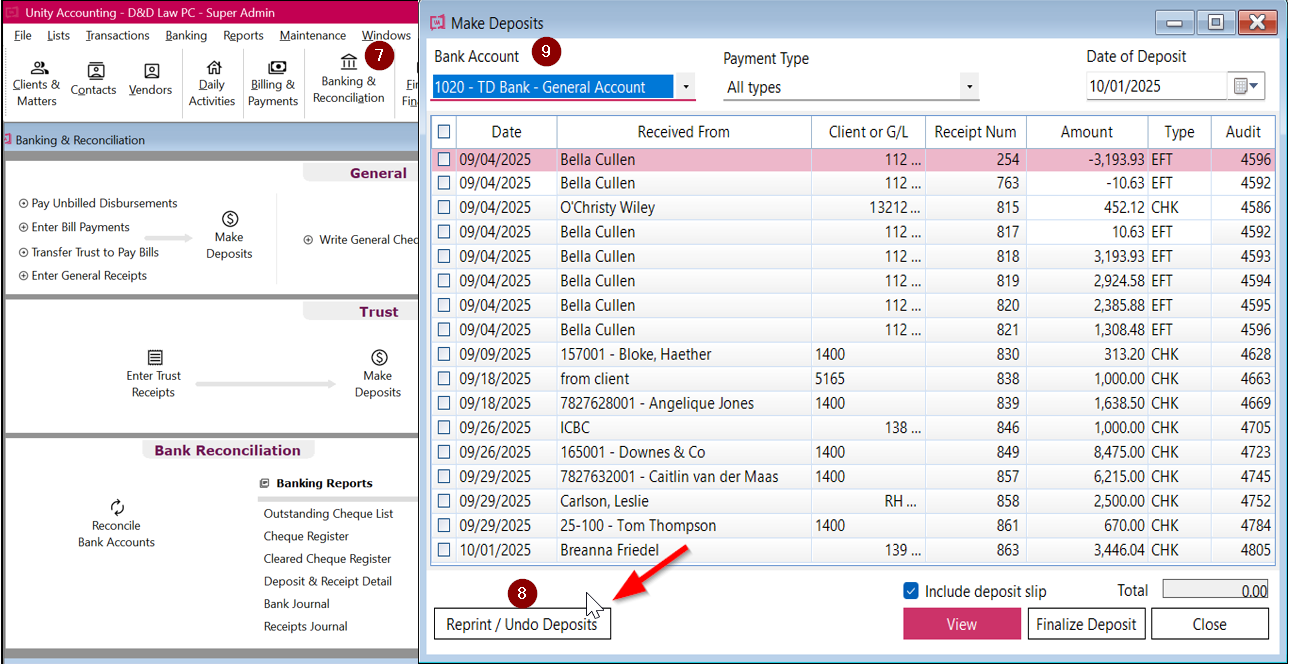
- Click on Banking & Reconciliation > Make Deposits.
- Click on Reprint/Undo Deposits.
- Select an appropriate bank account.
- Look for the deposit ID.
- Click on Undo Deposit > Yes.
Tips:
- Deposits can be undone. To reverse a deposit, it has been finalized in bank deposits. However, ensure the deposit is not finalized in the bank reconciliation. If they are finalized, an error message will occur.